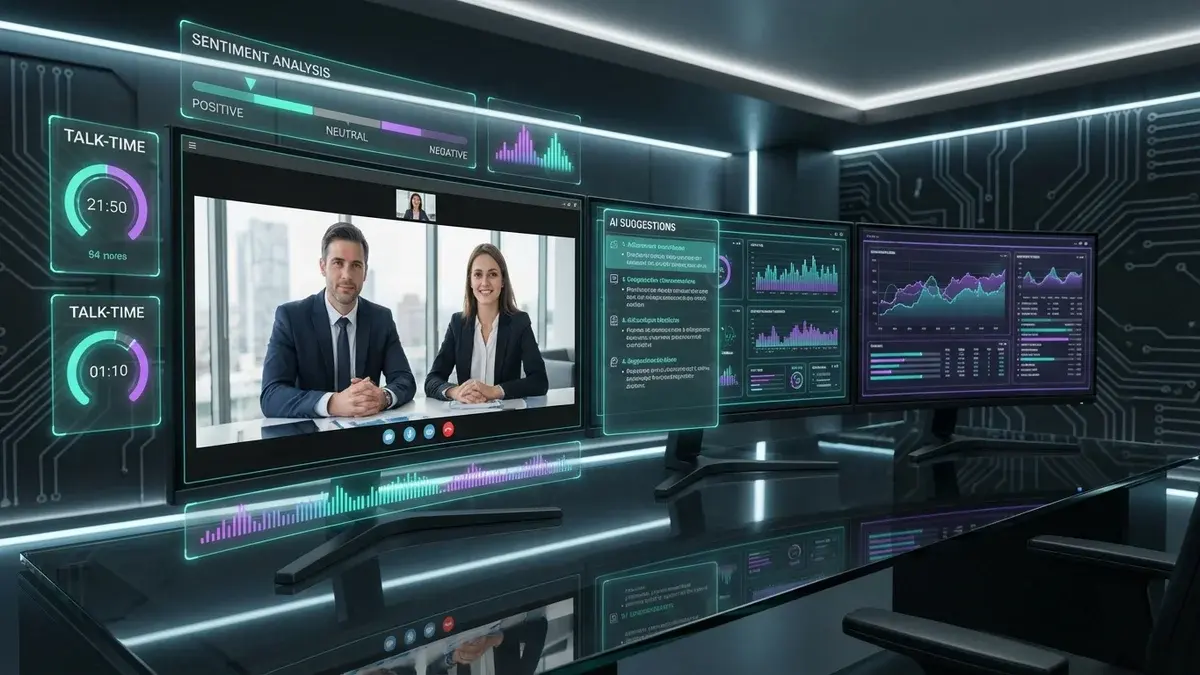
Real-Time AI Coaching for Video Sales Calls: The Complete Guide
Most sales tools tell you what went wrong after the deal is already lost. They analyze your calls, identify coaching opportunities, and generate reports—all useful for improving over time, but useless for the deal you just fumbled.
Real-time AI coaching is different. It provides guidance while you're actually talking to the prospect, helping you navigate objections, stay on track, and close more deals in the moment.
This is the difference between reviewing game film after the season ends and having a coach in your ear during the game. One helps you improve for next time. The other helps you win right now.
What Is Real-Time AI Coaching?
Real-time AI coaching uses artificial intelligence to analyze sales conversations as they happen and provide live guidance to reps. The AI listens to the call, understands the context, and surfaces relevant prompts—all in real-time.
Key capabilities include:
- Live objection handling - When a prospect raises a concern, suggested responses appear immediately
- Competitive battlecards - When competitors are mentioned, key differentiators surface automatically
- Talk track guidance - Prompts to keep the conversation aligned with your methodology
- Prospect intelligence - Real-time display of relevant data about who you're talking to
- Conversation analytics - Live feedback on talk ratios, pace, and engagement
Real-Time Coaching vs. Post-Call Analysis
Understanding the difference is critical for building your sales tech stack:
| Aspect | Real-Time Coaching | Post-Call Analysis |
|---|---|---|
| When it helps | During the call | After the call ends |
| Impact on deal | Can save the current deal | Helps with future deals |
| Primary user | Sales rep | Sales manager |
| Example tools | Appendment, Aircover | Gong, Chorus, Clari |
| Best use case | Winning more deals now | Team-wide improvement |
The best sales teams use both: real-time coaching for immediate deal impact, and conversation intelligence for systematic team development. For platform-specific guides, see our articles on Zoom integrations and Microsoft Teams apps.
How Real-Time AI Coaching Works
Here's what happens during a coached video sales call:
Before the Call
- Prospect enrichment - AI gathers data about the person you're meeting with
- Preparation brief - Key talking points, potential objections, and conversation starters surface
- CRM context - Previous interactions, deal stage, and notes appear in one view
During the Call
- Speech recognition - AI transcribes the conversation in real-time
- Context analysis - The system understands what's being discussed
- Trigger detection - Objections, competitor mentions, and key topics are identified
- Prompt delivery - Relevant guidance appears on screen (visible only to the rep)
- Continuous monitoring - Talk ratio, pace, and engagement tracked live
After the Call
- Automatic summary - Key points, action items, and next steps generated
- CRM update - Notes and activities logged without manual entry
- Follow-up suggestions - AI recommends next actions based on conversation
Platform Support: Zoom, Teams, and Meet
Real-time coaching works across all major video platforms. Here's how it integrates with each:
Zoom
Zoom has the most mature integration ecosystem for sales tools. Real-time coaching platforms like Appendment integrate directly with Zoom to:
- Access meeting audio for live transcription
- Display coaching prompts in a companion app or browser extension
- Sync with Zoom's native recording and transcription
For a complete list of Zoom sales tools, see our guide to Zoom integrations.
Microsoft Teams
Teams supports real-time coaching through its app ecosystem. Coaching tools can:
- Run as Teams apps alongside the meeting window
- Integrate with Microsoft's transcription APIs
- Connect to Dynamics 365 for CRM context
Learn more in our Microsoft Teams sales apps guide.
Google Meet
Google Meet is catching up with coaching tool support:
- Browser extensions can overlay coaching on Meet calls
- Google's native Gemini AI handles basic note-taking
- Third-party tools add real-time coaching capabilities
See our Google Workspace sales stack guide for the full setup.
For a detailed comparison of all three platforms' sales capabilities, check out our Zoom vs Teams vs Meet comparison.
Key Features of Real-Time Coaching Tools
1. Live Objection Handling
When a prospect says "Your price is too high" or "We're already working with a competitor," the AI recognizes the objection and surfaces relevant responses. This isn't generic advice—it's tailored to your product, pricing, and competitive positioning.
2. Competitive Battlecards
The moment a competitor is mentioned, key differentiators appear. You don't have to remember every detail about every competitor—the AI surfaces exactly what you need when you need it.
3. Prospect Intelligence
Instead of memorizing prospect details before calls, the AI displays relevant information as the conversation progresses. This includes:
- Company background and recent news
- Individual's role, tenure, and communication style
- Previous interactions and touchpoints
- Psychographic insights for personalization
4. Talk Track Guidance
Whether you follow MEDDIC, BANT, Challenger, or a custom methodology, the AI keeps you on track. It prompts you to ask discovery questions, cover key topics, and advance toward next steps.
5. Real-Time Analytics
Live feedback on conversation dynamics:
- Talk ratio - Are you talking too much or listening enough?
- Pace - Speaking too fast or too slow?
- Filler words - Overusing "um," "like," or "you know"?
- Question ratio - Asking enough discovery questions?
Results: What Real-Time Coaching Delivers
Teams using real-time AI coaching report significant improvements:
- 40-50% higher close rates - Deals saved in the moment add up
- 30% faster ramp time - New reps perform like veterans with live guidance
- 25% shorter sales cycles - Better conversations move deals faster
- 90% CRM data accuracy - Automatic logging eliminates manual entry
The ROI compounds: every deal saved by a well-timed prompt is revenue that would have been lost with post-call-only tools.
Implementing Real-Time Coaching
Step 1: Choose Your Platform
Real-time coaching tools integrate with all major video platforms. Ensure the tool you choose supports your primary platform (Zoom, Teams, or Meet).
Step 2: Configure Your Content
The AI needs to know your:
- Common objections and approved responses
- Competitive differentiators
- Sales methodology and talk tracks
- Product details and pricing
Step 3: Connect Your CRM
Integration with your CRM enables:
- Pre-call context from existing records
- Automatic post-call logging
- Deal and contact updates
For CRM-specific guidance, see our guides on Salesforce integrations, Pipedrive productivity, or GoHighLevel integrations.
Step 4: Train Your Team
Reps need to learn:
- How to position the coaching window without distraction
- When to glance at prompts vs. focus on the prospect
- How to incorporate suggestions naturally
Step 5: Measure and Optimize
Track metrics to prove ROI:
- Win rate changes before/after implementation
- Prompt utilization rates
- Deal velocity improvements
- Rep satisfaction and adoption
Building a Complete Coaching Stack
For maximum impact, combine real-time coaching with complementary tools:
| Function | Tool Type | Purpose |
|---|---|---|
| Real-time guidance | Appendment | Win more deals in the moment |
| Post-call analysis | Gong/Chorus | Team coaching and patterns |
| CRM | Salesforce/HubSpot | System of record |
| Scheduling | Calendly | Booking automation |
For specific platform recommendations, see our guide to closing more deals on video calls.
The Bottom Line
Post-call analysis tells you what happened. Real-time coaching helps you change what happens.
For sales teams serious about improving win rates, real-time AI coaching is no longer optional. It's the difference between learning from every lost deal and winning deals you would have lost.
Ready to get real-time AI coaching on your video sales calls?
Appendment provides live coaching prompts, prospect intelligence, and automatic CRM updates across Zoom, Teams, and Google Meet. Book a demo to see how teams are closing 40% more deals.