CRM Integrations - Everything You Need to Know in 2026
Did you know that businesses using integrated CRM systems see a 41% increase in revenue per salesperson? Yet despite this staggering statistic, many sales teams still operate with disconnected tools, missing critical data, and fragmented workflows that cost them countless opportunities every day.
In today's hyper-competitive B2B landscape, CRM integrations have evolved from a nice-to-have luxury to an absolute necessity for sales success. Whether you're connecting your CRM to marketing automation platforms, communication tools, or sales intelligence systems, the right integrations can transform your sales process from reactive to predictive, from manual to automated, and from fragmented to seamlessly unified.
This comprehensive guide will walk you through everything you need to know about CRM integrations in 2026, from fundamental concepts to advanced implementation strategies. You'll discover how to leverage popular platforms like Zoho and Monday, overcome common integration challenges, and build a connected sales ecosystem that drives measurable results.
What is CRM integrations?
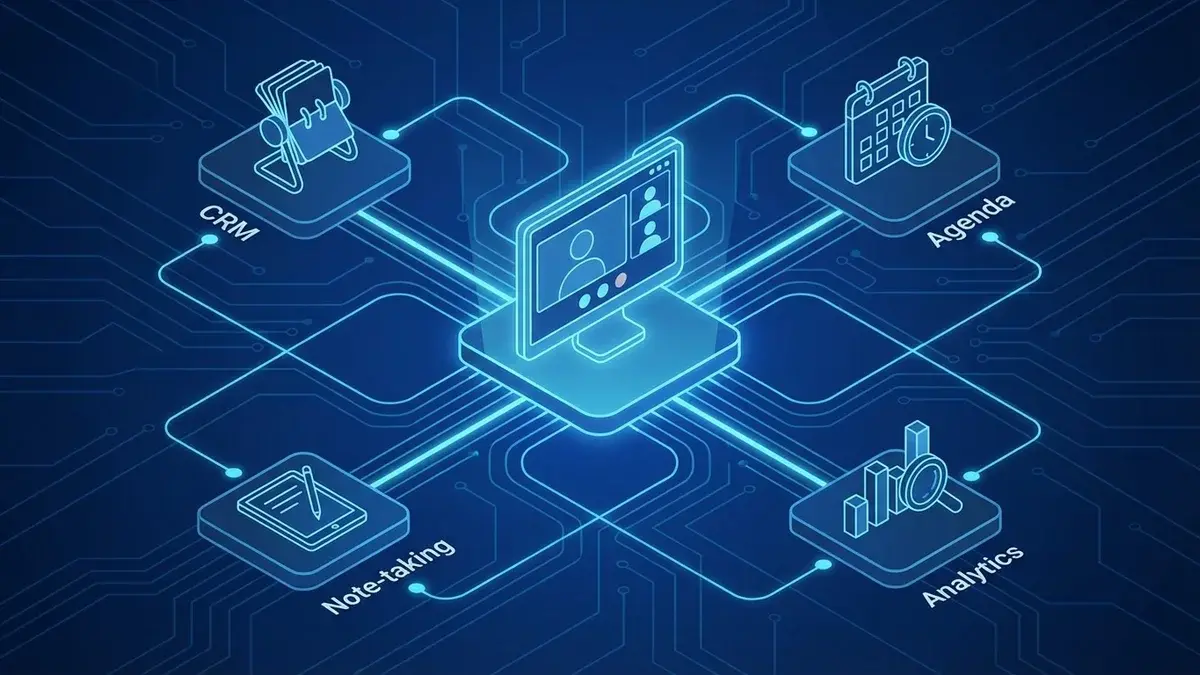
CRM integrations refer to the seamless connection of your customer relationship management system with other business applications, tools, and platforms to create a unified data ecosystem. Rather than operating in silos, integrated CRMs become the central hub that orchestrates information flow between marketing automation platforms, email systems, accounting software, sales intelligence tools, and countless other business applications.
At its core, CRM integrations solve the fundamental problem of data fragmentation that plagues modern sales teams. When your prospect research tool doesn't communicate with your CRM, when your email platform operates independently of your sales pipeline, or when your accounting system exists in isolation from your customer data, you create friction that slows deals, introduces errors, and ultimately costs revenue.
Modern CRM integrations enable real-time data synchronization, automated workflow triggers, and centralized reporting that gives sales teams unprecedented visibility into their pipeline and customer relationships.
The importance of CRM integrations extends far beyond simple data connectivity. Integrated systems enable advanced capabilities like predictive analytics, automated lead scoring, intelligent task prioritization, and personalized customer experiences at scale. When your CRM can access enriched prospect data from sales intelligence platforms, automatically log communication activities, and trigger follow-up sequences based on customer behavior, your sales team operates with superhuman efficiency.
How to Crm Integrations Meaning
Understanding the true meaning of CRM integrations requires looking beyond simple data connections to grasp how integrated systems fundamentally transform sales operations. The meaning encompasses three critical dimensions: data unification, process automation, and strategic intelligence.
Data Unification and Single Source of Truth
The primary meaning of CRM integrations lies in creating a single source of truth for all customer-related information. When implemented correctly, integrations eliminate the need for sales reps to toggle between multiple systems, manually update records, or guess at the most current customer information. Every interaction, from initial prospect research to final contract signature, flows seamlessly into your sales pipeline.
For example, when your CRM integrates with a comprehensive sales intelligence platform, prospect research data automatically populates contact records, company insights update in real-time, and behavioral triggers alert your team to engagement opportunities. This level of integration means your sales pipeline becomes a living, breathing ecosystem that evolves with your prospects' needs.
Step-by-Step Implementation Framework
Successfully implementing CRM integrations requires a systematic approach that prioritizes business impact over technical complexity:
- Audit Current Systems: Map all existing tools, identify data sources, and document current workflows
- Prioritize Integration Points: Focus on connections that eliminate the most manual work or provide the highest data value
- Design Data Flow Architecture: Plan how information will move between systems and establish data governance rules
- Implement in Phases: Start with core integrations before adding complex automation layers
- Test and Optimize: Validate data accuracy, monitor system performance, and refine workflows based on user feedback
Real-World Integration Success Stories
Consider how a mid-market software company transformed their sales process by integrating their CRM with marketing automation, customer support, and financial systems. Before integration, sales reps spent 2-3 hours daily on administrative tasks, updating records, and researching prospects. Post-integration, this time dropped to 30 minutes, allowing reps to focus on high-value activities like relationship building and strategic selling.
The integrated system automatically captured marketing-qualified leads, enriched them with behavioral data, assigned them to appropriate sales reps, and triggered personalized follow-up sequences. When prospects engaged with content or attended webinars, the CRM automatically updated lead scores and notified relevant team members. This level of automation resulted in a 67% reduction in lead response time and a 43% increase in conversion rates.
Understanding Crm Integrations Sequel Io
Sequel.io represents a new generation of CRM integration platforms that focus on data transformation and workflow automation rather than simple point-to-point connections. Understanding how crm integrations sequel io works requires grasping its approach to data pipeline management, real-time synchronization, and intelligent routing.
Unlike traditional integration tools that simply move data from one system to another, Sequel.io acts as an intelligent middleware layer that can transform, enrich, and route information based on sophisticated business rules. This approach enables more nuanced integration scenarios where data doesn't just flow—it evolves and adapts based on context, user behavior, and business objectives.
Advanced Data Pipeline Architecture
The Sequel.io approach to CRM integrations meaning centers on creating robust data pipelines that can handle complex transformation scenarios. Rather than requiring IT involvement for every integration modification, the platform enables sales operations teams to design, test, and deploy integration workflows using visual, code-free interfaces.
For instance, when integrating with sales intelligence platforms, Sequel.io can automatically enrich incoming lead data with company insights, contact information, and behavioral triggers before routing qualified prospects to appropriate sales reps. The platform maintains data quality through built-in validation rules, duplicate detection, and standardization processes that ensure CRM integrity.
Modern integration platforms like Sequel.io enable sales teams to create sophisticated automation workflows without technical expertise, democratizing access to enterprise-level integration capabilities.
Implementation Best Practices
Successfully implementing crm integrations sequel io requires careful planning around data governance, user adoption, and performance monitoring. Start by identifying your most critical data sources and designing integration workflows that prioritize data quality over quantity.
The platform excels in scenarios where businesses need to integrate multiple data sources while maintaining strict data quality standards. For example, a company might integrate their CRM with marketing automation, customer support, accounting, and AI sales tools while ensuring that duplicate records are automatically merged, data formats remain consistent, and integration errors are immediately flagged for resolution.
The Complete Guide to Crm Integrations Sequel
The broader crm integrations sequel ecosystem encompasses not just Sequel.io but an entire methodology for approaching enterprise-level CRM integrations. This approach emphasizes sequential, systematic integration deployment that minimizes disruption while maximizing business impact.
Understanding crm integrations sequel means recognizing that successful enterprise integrations follow a specific sequence designed to build complexity gradually while maintaining system stability. Rather than attempting to integrate everything simultaneously, the sequel approach prioritizes foundational integrations that enable more sophisticated connections over time.
Sequential Integration Strategy
The sequel methodology begins with core business process integrations—typically connecting CRM to marketing automation and customer communication systems. These foundational integrations establish data quality standards, user adoption patterns, and integration governance frameworks that support more complex implementations.
Phase two typically introduces sales intelligence and prospecting tools, enabling automated lead enrichment and qualification processes. This is where platforms like zoho crm integrations become particularly valuable, as Zoho's extensive integration marketplace enables seamless connections with hundreds of business applications.
- Foundation Phase: CRM + Email + Marketing Automation
- Enhancement Phase: Sales Intelligence + Communication Tools
- Optimization Phase: Analytics + AI + Advanced Automation
- Scale Phase: ERP + Financial + Customer Success Integration
Enterprise-Level Integration Challenges
Large organizations often struggle with integration complexity that stems from legacy systems, data governance requirements, and security constraints. The sequel approach addresses these challenges through careful architecture planning, phased deployment, and continuous optimization cycles.
Common challenges include data format inconsistencies, API rate limiting, real-time synchronization requirements, and maintaining integration performance as data volumes scale. According to recent research on CRM automation, companies that implement systematic integration approaches see 73% fewer data quality issues compared to organizations that pursue ad-hoc integration strategies.
Why Zoho Crm Integrations Matters
Zoho crm integrations represent one of the most comprehensive integration ecosystems available to modern sales teams. With over 500 native integrations and an open API architecture, Zoho enables businesses to create highly customized sales environments that align precisely with their unique processes and requirements.
What sets zoho crm integrations apart is the platform's commitment to workflow automation and business process optimization. Rather than simply connecting systems, Zoho's integration framework enables sophisticated automation scenarios that can transform how sales teams operate, from initial prospect identification through contract signature and customer success.
Native Integration Advantages
Zoho's native integration approach eliminates many common integration headaches by providing pre-built connectors for popular business applications. These integrations are maintained by Zoho's development team, ensuring compatibility updates, security patches, and feature enhancements without additional vendor management overhead.
For sales teams, this means seamless connections with monday crm integrations for project management, shopify crm integrations for e-commerce data, and dozens of communication platforms for multichannel customer engagement. The native approach also enables deeper integration capabilities, such as shared workflow triggers, unified reporting, and cross-platform automation sequences.
Zoho's ecosystem approach enables sales teams to build comprehensive business management platforms that extend far beyond traditional CRM capabilities, incorporating project management, accounting, marketing, and customer success functions.
Implementation Success Framework
Successful zoho crm integrations require understanding both the technical capabilities and business process implications of connected systems. Start by mapping your current sales process and identifying integration points that eliminate manual work or provide enhanced customer insights.
A typical implementation might integrate Zoho CRM with marketing automation for lead nurturing, accounting software for deal tracking, customer support for service history visibility, and productivity enhancement tools for team performance optimization. The key is maintaining focus on business outcomes rather than technical possibilities.
Monday Crm Integrations: Key Strategies
Monday crm integrations offer unique advantages for teams that prioritize visual project management and collaborative sales processes. Unlike traditional CRM platforms that focus primarily on contact and deal management, Monday's approach integrates customer relationship management with project tracking, team collaboration, and resource planning.
The platform's strength lies in its ability to visualize complex sales processes through customizable boards, timelines, and automation rules that keep everyone aligned on deal progression. When integrated with other business systems, Monday CRM becomes a powerful orchestration platform that manages not just customer relationships but entire customer delivery lifecycles.
Visual Workflow Integration
Monday's visual approach to CRM integrations enables teams to create intuitive workflows that connect sales activities with delivery, support, and success functions. This integration approach is particularly valuable for service-based businesses where sales and project delivery overlap significantly.
For example, integrating Monday CRM with xero crm integrations for financial management and zapier crm integrations for workflow automation creates a comprehensive business management ecosystem. When a deal closes in Monday, automated workflows can create project boards, assign team members, generate invoices in Xero, and trigger onboarding sequences—all without manual intervention.
- Deal-to-Delivery Automation: Automatically create project workflows when deals close
- Resource Planning Integration: Connect CRM forecasts with capacity planning tools
- Client Portal Connections: Provide customers visibility into project progress and communication history
- Financial System Synchronization: Automate invoicing, payment tracking, and revenue recognition
Collaborative Sales Management
The collaborative nature of monday crm integrations shines in complex B2B sales environments where multiple stakeholders contribute to deal progression. The platform's commenting, notification, and approval features integrate seamlessly with external systems to create transparent, accountable sales processes.
Teams using Monday CRM often integrate with communication platforms like Slack or Microsoft Teams, enabling real-time collaboration on deals without switching contexts. When combined with sales coaching platforms and performance analytics tools, these integrations create comprehensive sales management environments that support both individual rep success and team performance optimization.
Implementation Challenges and Solutions
While monday crm integrations offer powerful capabilities, successful implementation requires careful attention to data structure, user adoption, and process standardization. Monday's flexibility can sometimes create complexity if teams don't establish clear governance frameworks from the beginning.
Common challenges include board structure standardization, automation rule conflicts, and integration data mapping. The most successful implementations start with simple, high-impact integrations before adding complexity. Focus on integrations that eliminate the most manual work or provide the clearest visibility improvements.
Best Practices for Crm Integrations
Successful CRM integrations require more than technical connectivity—they demand strategic thinking, careful planning, and continuous optimization. The most effective integration strategies prioritize business outcomes over technical sophistication, focusing on connections that demonstrably improve sales team performance and customer experiences.
Data Quality as Foundation
The foundation of effective CRM integrations rests on impeccable data quality standards. Before connecting any external systems, establish data governance frameworks that ensure consistency, accuracy, and completeness across all integrated platforms. Poor data quality doesn't just create minor inconveniences—it propagates errors throughout your entire sales ecosystem, leading to missed opportunities, customer confusion, and reduced team confidence in system reliability.
Implement automated data validation rules, duplicate detection processes, and regular data quality audits. When integrating with prospect research tools or sales intelligence platforms, establish clear criteria for data enrichment to prevent information overload while ensuring critical insights reach your sales team.
User-Centric Integration Design
Design integrations around user workflows rather than technical possibilities. The most sophisticated integration architecture fails if it creates additional complexity for end users. Spend time understanding how your sales team actually works, identifying pain points in their daily routines, and designing integrations that eliminate friction rather than adding new steps to their process.
This approach might mean choosing simpler integrations that provide immediate value over complex solutions that promise future capabilities. For example, a basic integration that automatically logs email communications might provide more daily value than a sophisticated AI-powered lead scoring system that requires extensive training and behavior modification.
Phased Implementation Strategy
Resist the temptation to integrate everything simultaneously. Successful CRM integration projects follow phased approaches that allow teams to adjust, learn, and optimize before adding additional complexity. Start with core integrations that provide immediate value—typically email, calendar, and primary communication platforms.
The most successful integration projects implement one new connection every 2-4 weeks, allowing time for user adoption, process refinement, and performance monitoring before introducing additional complexity.
Common Mistakes to Avoid
Avoid these critical integration mistakes that commonly derail otherwise well-planned projects:
- Over-Integration: Connecting systems without clear business justification leads to complexity without value
- Ignoring API Limitations: Failing to understand rate limits and data restrictions can cause system failures during peak usage
- Skipping User Training: Technical integration success means nothing without user adoption and workflow optimization
- Neglecting Monitoring: Integrated systems require ongoing monitoring to identify issues before they impact sales performance
- Data Governance Gaps: Failing to establish clear ownership and maintenance responsibilities for integrated data
Tools to Help with Crm Integrations
The modern integration landscape offers unprecedented tools and platforms that simplify CRM connectivity while enabling sophisticated automation capabilities. Understanding available options helps teams choose solutions that align with their technical capabilities, budget constraints, and long-term integration strategies.
Integration Platform Categories
Modern CRM integration tools generally fall into several distinct categories, each serving different use cases and technical requirements:
- Native Platform Integrations: Built-in connections provided by CRM vendors, offering deep functionality but limited customization options
- Third-Party Integration Platforms: Services like Zapier, Microsoft Power Automate, and MuleSoft that provide middleware connectivity between systems
- API Management Tools: Platforms that facilitate custom integration development while providing monitoring, security, and performance management
- Data Synchronization Services: Specialized tools focused on maintaining data consistency across multiple platforms
Evaluation Criteria for Integration Tools
When selecting integration tools, prioritize solutions that align with your team's technical capabilities and long-term scalability requirements. Consider factors like ease of use, integration depth, error handling capabilities, and ongoing maintenance requirements.
The best integration tools provide intuitive interfaces for non-technical users while offering advanced customization options for complex scenarios. Look for platforms that include robust monitoring, error handling, and data quality features that prevent integration issues from impacting sales performance.
How Appendment Transforms CRM Integration Strategy
While traditional integration tools focus on connecting systems, modern sales teams need platforms that intelligently orchestrate the entire customer engagement process. This is where AI-powered sales coaching and intelligent automation become game-changers for CRM integration strategy.
Appendment's approach to CRM integration goes beyond simple data connectivity to provide real-time prospect intelligence that enhances every customer interaction. Rather than just moving data between systems, the platform provides contextual insights that help sales teams understand not just who their prospects are, but when and how to engage them most effectively.
The platform's integration with existing CRM systems enables sales teams to maintain their current workflows while adding layers of intelligence that improve conversion rates, reduce sales cycle length, and increase deal sizes. By combining CRM data with behavioral insights, market intelligence, and predictive analytics, sales teams gain unprecedented visibility into their pipeline and customer relationships.
Modern CRM integration success isn't measured by the number of connected systems, but by the quality of insights and automation that drive measurable improvements in sales performance and customer experience.
Frequently Asked Questions
What are the most important CRM integrations for sales teams?
The most critical integrations typically include email platforms, calendar systems, marketing automation tools, and sales intelligence platforms. These foundational connections eliminate the most manual work while providing enhanced customer insights that drive better sales outcomes.
How long does it typically take to implement CRM integrations?
Basic integrations can often be completed within days or weeks, while complex enterprise implementations may require months of planning and execution. The timeline depends heavily on data complexity, system customization requirements, and user training needs.
What are common challenges with CRM integrations?
Common challenges include data quality issues, API limitations, user adoption resistance, and ongoing maintenance requirements. Success requires careful planning, phased implementation, and continuous monitoring to address issues before they impact sales performance.
How much do CRM integrations typically cost?
Integration costs vary dramatically based on complexity and implementation approach. Simple third-party platform integrations might cost hundreds of dollars monthly, while custom enterprise integrations can require significant development investment and ongoing maintenance costs.
Can CRM integrations work with legacy systems?
Yes, though legacy system integrations often require additional middleware or custom development work. Modern integration platforms provide various approaches for connecting older systems, though implementation complexity and costs may be higher than cloud-native integrations.
The future of sales success belongs to teams that can seamlessly orchestrate data, insights, and automation across their entire technology stack. CRM integrations aren't just about connecting systems—they're about creating competitive advantages through superior customer intelligence, streamlined workflows, and predictive capabilities that help you stay ahead of prospects' needs.
Whether you're just beginning your integration journey or optimizing existing connections, remember that the most successful implementations prioritize user adoption and business outcomes over technical sophistication. Start with integrations that solve real problems for your sales team, measure the impact rigorously, and build complexity gradually as you prove value.
Ready to transform your CRM from a simple contact database into an intelligent sales acceleration platform? Explore how Appendment's AI-powered sales intelligence can enhance your existing CRM integrations with real-time prospect insights, predictive analytics, and automated coaching that helps your team close more deals faster. The future of sales is integrated, intelligent, and incredibly effective.